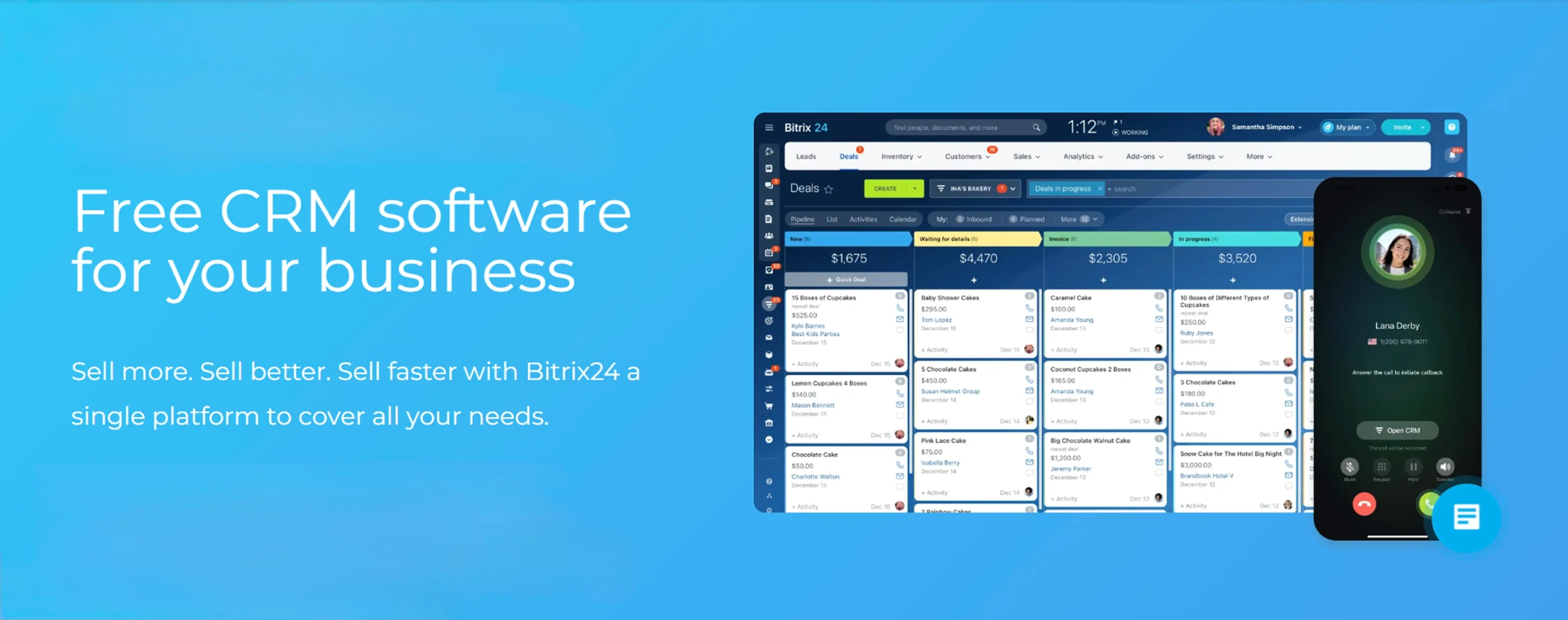
Bitrix24 brings together the core tools a company uses every day – customer management, task coordination, internal communication, website creation, and process automation – inside one unified digital workspace. Instead of paying for five different tools and hoping they talk to each other, you get one platform where your sales team, project managers, support staff, and marketing people all work in the same environment.
What makes Bitrix24 unusual in this space is the free plan. Not a 14-day trial. Not a "free tier" that locks you out of anything useful after day one. A permanently free plan with a meaningful feature set that a real business can actually use. That's rarer than it sounds – most CRM and collaboration platforms offer free access as a hook, then gate everything worthwhile behind a paywall within minutes of signup.
The free version is a natural fit for freelancers, small teams of up to five people, early-stage startups that need structure without overhead costs, and businesses evaluating Bitrix24 before committing to a paid plan. If you fall into any of those categories, this guide walks you through exactly what you get, what you don't, and whether the free plan is enough for your situation.
What the Free Plan Actually Includes
CRM
The CRM is the centerpiece of Bitrix24, and the free version gives you genuine access to it – not a stripped-down demo version, but a working CRM you can run a sales process through from day one.
Within the free plan, you can manage your entire sales cycle using the following tools:
Lead and deal tracking with complete interaction history.
Structured contact and company profiles, including support for custom fields within defined limits.
Visual sales pipeline in both Kanban and list view.
Built-in CRM forms for capturing website inquiries directly into your database.
Basic automation rules – automatic status changes, task creation on deal stage change, and similar triggers.
Email integration for logging correspondence against deals.
Full CRM access via the Bitrix24 mobile app.
Limitations: automation rules per pipeline are capped, advanced sales analytics are not available, and the AI-powered sales intelligence tools (call transcription analysis, deal scoring, win probability forecasting) require a paid plan. For a small team running a straightforward pipeline, none of that is a blocking issue. For a sales team trying to optimize conversion rates with data, it will be.
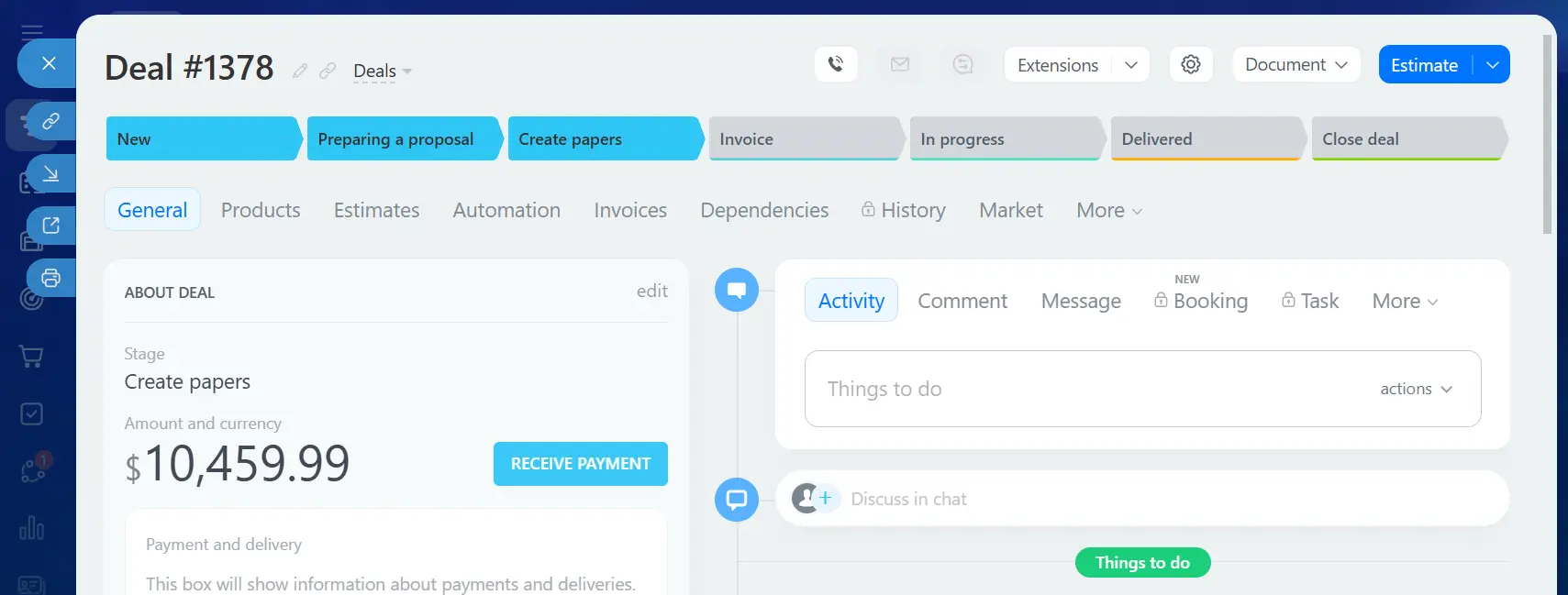
An example of a deal card in CRM
Tasks and Project Management
The free version of Bitrix24 does not limit the number of tasks you can create. You can add, assign, and monitor as many tasks as your team needs without hitting artificial caps. Many competing platforms restrict task volume or the number of active projects on free plans, but Bitrix24 does not impose those limits at this level.
The free plan includes:
unlimited tasks with assignees, deadlines, and priority levels;
checklists within tasks for breaking down work;
kanban board view for visual workflow management;
gantt chart for timeline planning;
basic task templates to speed up recurring work;
project groups where teams can collaborate around shared goals;
basic time tracking per task.
For a small development team, a consulting firm managing client deliverables, or an internal ops team coordinating recurring processes, this is a functional project management setup. The limitations show up at scale – advanced dependency management, workload views, and deeper reporting require paid plans – but for teams under ten people with straightforward workflows, the free toolset holds up well.
Communication Tools
Bitrix24 includes a built-in communication layer so your team doesn't need Slack or a separate video tool for basic collaboration.
Communication features on the free plan:
internal chat (individual and group conversations);
video calls with limited participant capacity;
workgroups for department or project-based collaboration;
activity feed showing team updates in real time;
company news feed for announcements;
shared calendar for scheduling and event coordination.
The constraints worth knowing: video conferencing capacity is capped, and advanced telephony features – including SIP integration, call recording, and call center tools – are not part of the free plan. For a small team that primarily communicates through chat and occasional video calls, the free communication tools are sufficient. For a team running a contact center or relying heavily on voice calls, they're not.
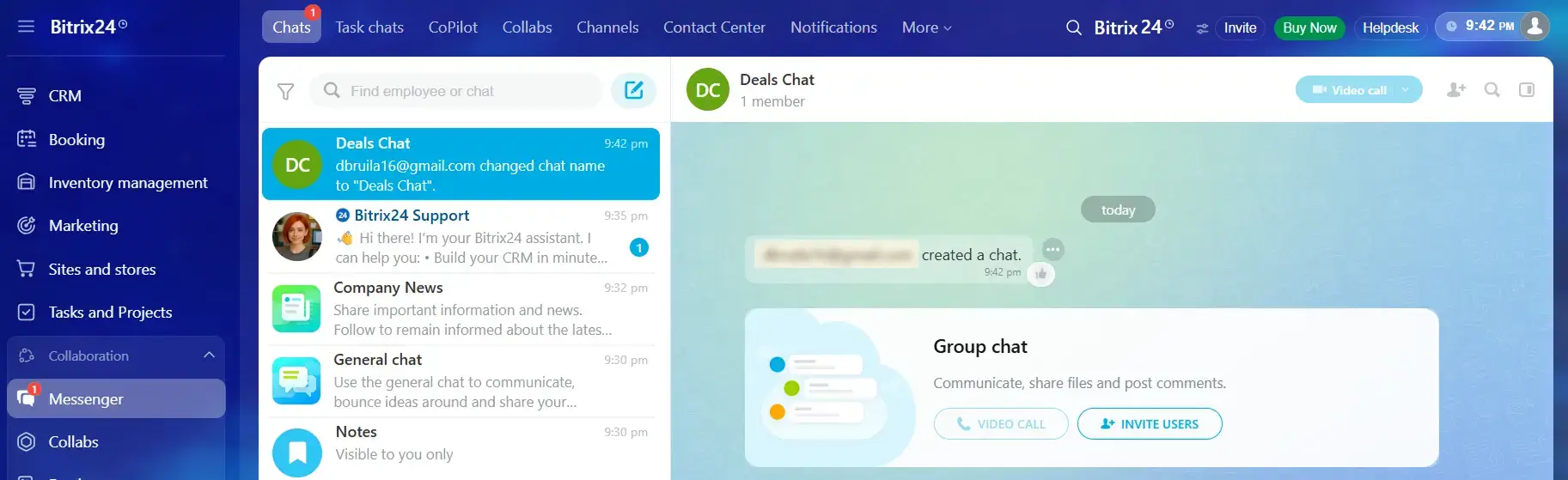
An example of a group chat
Contact Center: Basic Customer-Facing Tools
The free plan gives you a starting point for customer-facing communication, though it's clearly designed as an entry point rather than a complete solution.
Included at no cost:
live chat widget that installs on your website;
basic social media channel integration (limited number of open lines);
email connector for routing customer emails into the CRM;
unified inbox for managing incoming messages from multiple channels.
The ceiling here is visible. The number of open communication lines is restricted, advanced routing and automation within the contact center are locked to paid plans, and call center features like IVR, queue management, and call analytics require an upgrade. For a freelancer or a small business handling a manageable volume of customer inquiries, the free contact center tools work. For a business fielding high volumes of inbound contact across multiple channels, the limitations will surface quickly.
Website and Online Store Builder
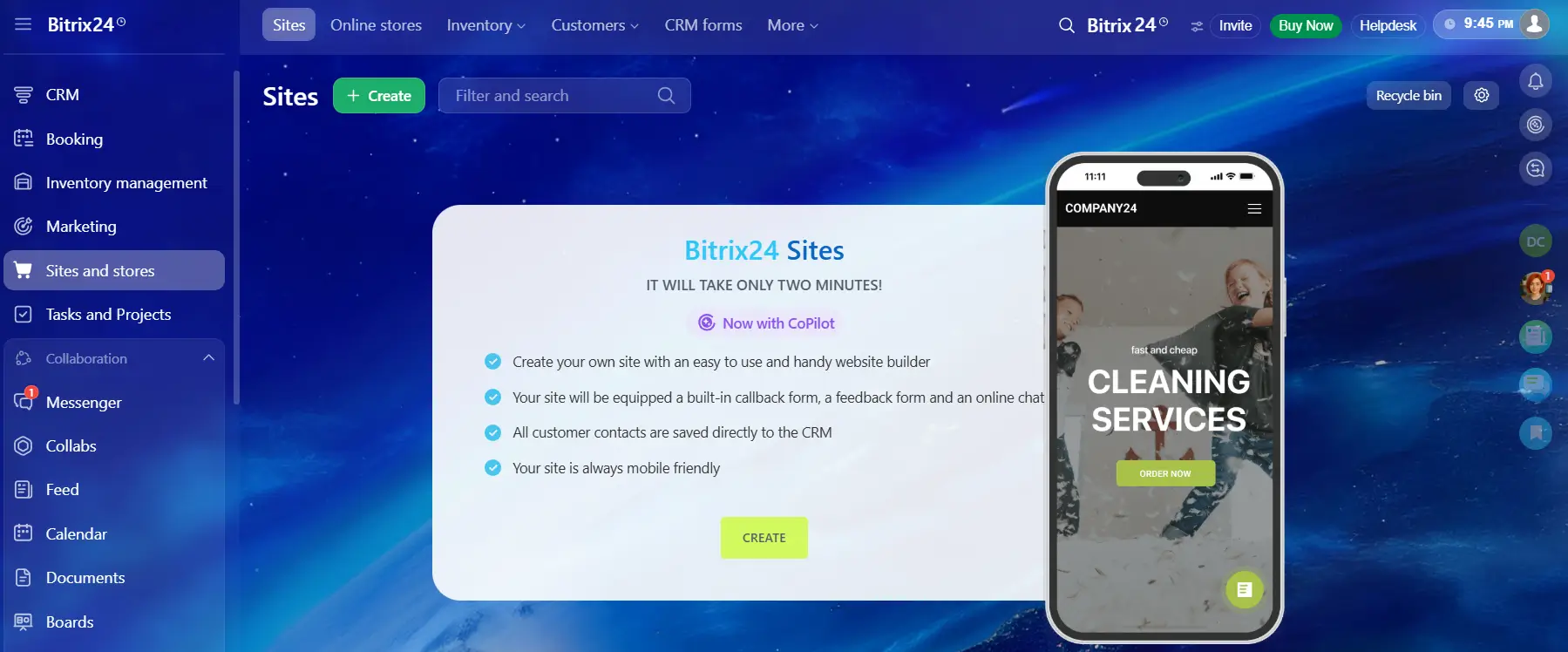
Including a website and online store builder in a free CRM plan is not common, yet Bitrix24 makes these tools available without requiring a subscription. Even on the free tier, you can launch a website, create landing pages, and set up a simple online store, with hosting already provided.
The free plan offers:
A drag-and-drop website editor with ready-made templates that can be adjusted to match your brand.
A landing page builder designed for collecting leads and running basic marketing campaigns.
A simple online store module with product listings and order processing.
Hosting on a Bitrix24 subdomain, with the option to connect a custom domain on paid plans.
There are clear boundaries. The total number of pages is limited, design flexibility is narrower compared to higher tiers, and advanced eCommerce functionality – such as abandoned cart automation, complex discount systems, and advanced delivery integrations – is not available. Still, for freelancers and small businesses that need a clean online presence and a straightforward way to accept orders, the free tools provide a practical starting point.
Automation: Basic Rules Only
Automation is where the free plan shows its clearest ceiling. Basic CRM automation rules are available – you can set up triggers that automatically create tasks when a deal moves to a certain stage, send a notification when a lead goes cold, or change a deal status based on a customer action.
What's not included: the full Business Process Automation engine, Smart Processes (Bitrix24's advanced workflow builder), Robotic Process Automation, and multi-step automation sequences. These are paid features, and they represent a meaningful chunk of what makes Bitrix24 powerful for mid-sized and larger businesses.
For a small team with simple, repetitive processes, the basic automation rules on the free plan are a genuine time-saver. For a business trying to automate approval workflows, complex multi-department processes, or large-scale marketing sequences, the free plan's automation is a starting point, not a destination.
Storage: 5 GB Shared Across All Users
The free plan includes 5 GB of cloud storage shared across your entire workspace. For a small team primarily working with text documents, spreadsheets, and small image files, this is workable. For a team regularly sharing large files – video content, high-resolution images, technical drawings, large datasets – it fills up faster than expected.
Storage is worth monitoring from day one on the free plan. When you hit the limit, you can't upload new files until you clear space or upgrade. This is one of the more practical constraints that pushes document-heavy businesses toward a paid plan sooner than other limitations do.
What the Free Version Does Not Include
Some of the features that make Bitrix24 powerful are paid-only, and it's worth knowing that before you build workflows around them.
The following functionality is not included:
Advanced CRM automation, including multi-step sales sequences and complex workflow chains.
Smart Process Automation for complex internal workflows.
Advanced analytics, custom reports, and BI dashboards.
Sales intelligence tools (deal scoring, win probability, AI call analysis).
Advanced telephony and call center features (IVR, call recording, SIP integration).
Additional cloud storage beyond the 5 GB limit.
Advanced user permission controls and role-based access settings.
Unlimited sales pipelines (multiple pipeline configurations may be restricted).
Document automation and e-signature workflows at scale.
Advanced marketing automation and email campaign tools.
None of this is a criticism of the free plan – every software product has to draw a line somewhere. But understanding where that line sits helps you make a realistic assessment of whether the free plan fits your current needs.
Practical Limitations Worth Knowing Before You Start
The free plan is genuinely functional, but it's built for small teams with straightforward needs. The practical constraints that surface most often:
Automation rules per pipeline are capped, limiting how much you can systematize your sales process.
5 GB shared storage fills up quickly for document-heavy teams.
Video call participant limits restrict larger team meetings.
Reporting and analytics are basic – you can see what's happening, but not analyze it in depth.
Community-based and self-service support only; dedicated support requires a paid plan.
Scalability hits a wall as team size and process complexity grow.
The free plan isn't designed to grow with a scaling business indefinitely. It's designed to give you a real working environment where you can test whether Bitrix24 fits your workflow before committing financially. That's a legitimate and valuable thing – but it's worth being clear-eyed about it.
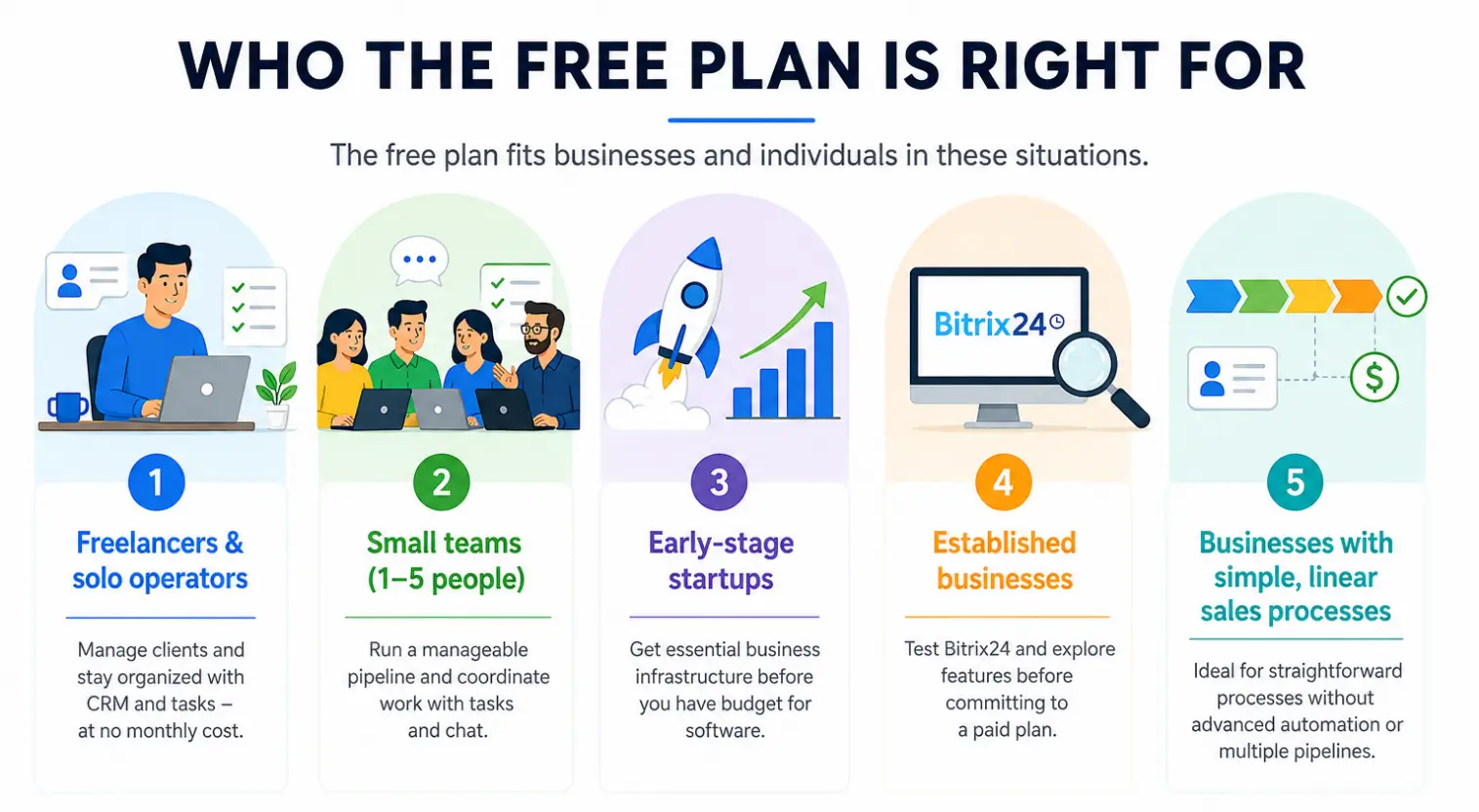
Who the Free Plan Is Right For
The free plan is a good fit for businesses and individuals in specific situations. Based on practical use, it works well for:
Freelancers and solo operators who need a CRM to manage client relationships and a task system to stay organized, without monthly software costs.
Small teams of one to five people running a manageable sales pipeline and coordinating work through tasks and chat.
Early-stage startups that need business infrastructure before they have budget for software subscriptions.
Established businesses evaluating Bitrix24 before committing to a paid plan – the free version gives you enough access to test the platform.
Businesses with simple, linear sales processes that don't require advanced automation or multi-pipeline management.
If your work environment matches one or more of these descriptions, the free plan can serve as a legitimate long-term tool rather than a temporary workaround.
When an Upgrade Makes More Sense
The free plan has a clear ceiling, and certain situations make a paid plan the more practical choice from the start:
Sales teams of six or more people who need more pipeline flexibility and deeper reporting.
Businesses where automation is central to the sales or operations workflow.
Contact centers or customer support teams managing high volumes of inbound communication across multiple channels.
Organizations that need advanced analytics to make data-driven decisions about sales performance.
Companies running complex internal approval workflows across multiple departments
eCommerce businesses that need advanced promotional tools, and detailed sales reporting.
The Basic and Standard plans are the most common upgrade paths from the free tier, and both add meaningful capability in automation, storage, and analytics without a steep price jump.
The Genuine Advantages of Bitrix24 Free
The free plan has real strengths that are worth stating clearly:
It's permanently free – not a trial, not a freemium bait-and-switch with a 30-day clock running.
CRM access at no cost is unusual; most competitors charge for CRM features even at basic paid tiers.
Task management is unlimited with no artificial caps on task or project counts.
The website builder and online store are included, eliminating the need for a separate web presence tool.
Full mobile app access means the platform works across devices from day one.
All data and configuration carry over if you upgrade – you're building in the same environment you'll use long-term.
The all-in-one structure means less time spent connecting third-party tools and maintaining integrations.
The Honest Disadvantages
No platform is perfect for every situation, and the free plan has real drawbacks:
The platform has a learning curve. The breadth of features that makes Bitrix24 powerful also makes it feel complex to new users who aren't sure where to start.
Storage fills up fast for teams that work with larger files regularly.
Automation restrictions limit how much you can systematize before you hit a wall.
Some features are visibly present in the interface but require a paid plan to activate – this can be frustrating during the evaluation period.
Self-service support means troubleshooting relies on documentation and community forums rather than direct assistance.
A Practical Decision Checklist
The free plan is probably sufficient for your current needs if you can answer yes to most of these:
your team has five or fewer active users;
your sales process runs through a single, relatively straightforward pipeline;
you don't depend on multi-step automation to manage leads or deals;
basic reporting gives you enough visibility into your sales activity;
5 GB of shared cloud storage is enough for your team's files;
you're comfortable with community-based support for troubleshooting.
If you answered no to two or more of these, the Basic or Standard plan is worth a closer look. The upgrade cost is modest relative to the capabilities it unlocks, and for a growing business, the free plan's limitations will become friction points faster than expected.
Full Feature Comparison Table
Feature
Free
Basic
Standard
Professional
Price (per month, billed annually)
$0
~$61
~$124
~$249
Users included
Unlimited
5
50
100
Cloud storage
5 GB
24 GB
100 GB
1024 GB
CRM
Lead & deal management
+
+
+
+
Contacts & companies
+
+
+
+
Sales pipelines
Limited
+
+
+
Kanban & list view
+
+
+
+
CRM web forms
+
+
+
+
Email integration
Basic
+
+
+
Mobile CRM access
+
+
+
+
Custom fields
Limited
+
+
+
Duplicate control
-
+
+
+
Sales intelligence & analytics
-
-
+
+
AI deal scoring & win probability
-
-
-
+
CRM access permissions (granular)
Basic
Basic
+
+
Tasks & Projects
Unlimited tasks
+
+
+
+
Checklists & subtasks
+
+
+
+
Kanban board
+
+
+
+
Gantt chart
+
+
+
+
Task templates
Basic
+
+
+
Time tracking
Basic
+
+
+
Workload management
-
-
+
+
Task dependencies
-
-
+
+
Resource planning
-
-
-
+
Communication
Internal chat
+
+
+
+
Video calls
Limited
+
+
+
Activity & news feed
+
+
+
+
Shared calendar
+
+
+
+
Company structure & departments
+
+
+
+
HR & absence management
-
-
+
+
Automation
Basic CRM automation rules
Limited
+
+
+
Triggers & webhooks
Basic
+
+
+
Business process automation
-
-
+
+
Smart processes
-
-
+
+
Robotic process automation (RPA)
-
-
-
+
Marketing automation
-
-
+
+
Contact Center
Live chat widget
+
+
+
+
Email connector
+
+
+
+
Social media integration
Limited
+
+
+
Open lines (omnichannel inbox)
Limited
+
+
+
Telephony & SIP integration
-
+
+
+
Call recording
-
+
+
+
IVR & call routing
-
-
+
+
Call center analytics
-
-
+
+
Website & Online Store
Website builder
+
+
+
+
Landing page builder
+
+
+
+
Basic online store
+
+
+
+
Hosting included
+
+
+
+
Custom domain connection
-
+
+
+
Unlimited website pages
-
+
+
+
Advanced eCommerce features
-
-
+
+
Analytics & Reporting
Basic CRM reports
+
+
+
+
Sales funnel analytics
Basic
+
+
+
Custom report builder
-
-
+
+
BI analytics & dashboards
-
-
-
+
Employee performance reports
-
-
+
+
Administration & Security
Basic user roles & permissions
+
+
+
+
Granular access control
-
-
+
+
Two-factor authentication
+
+
+
+
Audit log & activity history
-
-
+
+
Single sign-on (SSO)
-
-
-
+
Support
Community & self-service support
+
+
+
+
Priority support
-
+
+
+
Dedicated account manager
-
-
-
+
Final Assessment
Bitrix24 Free stands out in a crowded market because it actually delivers working tools rather than a locked-down preview. The CRM, task management, communication tools, and even the website builder are genuinely functional – not token access designed to frustrate you into upgrading within a week.
For freelancers, small teams, and early-stage businesses, the free plan is a serious option, not a fallback. You can run a real sales process, coordinate a real project, and communicate as a real team without spending anything.
The honest caveat: as your business grows, you'll outgrow it. Automation, storage, analytics, and advanced pipeline management are where the free plan runs thin. When you hit those limits, the upgrade path is clear and the transition is seamless – you're already working in the same platform.
Frequently Asked Questions
Does Bitrix24 Free Include a Mobile App?
Yes. The Bitrix24 mobile app is available on both iOS and Android, and full access to it is included on the free plan. The app covers CRM, tasks, chat, notifications, calendar, and file access – the core of what most users need when away from a desktop.
How Many Users Can Use Bitrix24 Free?
Officially, the free plan supports unlimited users. There is no hard cap on the number of people you can invite to your Bitrix24 workspace.
That said, the practical experience changes as user
count grows. The 5 GB of shared cloud storage depletes faster with more users
uploading files. Collaboration features designed around small team dynamics – activity feeds, workgroups, shared calendars – become harder to navigate as the workspace grows
beyond ten or fifteen people. The free plan was built with small teams in mind,
and that shows in how the interface and feature set scale.
Can I Connect My Own Domain on the Free Plan?
No. Custom domain connection for your Bitrix24 website is a paid feature. On the free plan, your website is hosted on a Bitrix24 subdomain. The site is functional and publicly accessible, but the URL will reflect Bitrix24's domain rather than your own brand.
Can I Use Bitrix24 Free for Client Projects?
Yes, and this is one of the more underused applications of the free plan. You can create project workgroups, invite external collaborators, assign tasks with deadlines, share files, and communicate through the platform – all on the free tier.
The practical limits: external users count toward your workspace and share the same storage pool. If you're inviting clients primarily as observers or occasional commenters, this works fine. If you're expecting clients to upload large files or participate heavily across multiple projects simultaneously, storage becomes a constraint faster than it would with an internal-only team.
Is Bitrix24 Free Better Than HubSpot Free?
They serve different priorities, and the answer depends on what your business actually needs.
HubSpot Free is stronger in marketing tools. Email campaigns, landing page analytics, and marketing automation basics are more developed on HubSpot's free tier than Bitrix24's. HubSpot's CRM interface is also generally considered more intuitive for users who are new to CRM software.
Bitrix24 Free covers significantly more ground in operational tools. Task and project management, team communication, website building, and an online store are all included at no cost – none of which are part of HubSpot's free plan. If your business needs a single platform for sales, project coordination, internal communication, and a basic web presence, Bitrix24 Free delivers more breadth than HubSpot Free.
Is Bitrix24 Really Free Forever?
Yes. The Bitrix24 free
plan is not a trial with a countdown clock. There is no credit card required to
sign up, no expiration date on the free tier, and no moment where Bitrix24
locks you out and demands payment to continue. You can use the free plan
indefinitely.
Can I Migrate from Bitrix24 Free to a Paid Plan Without Losing Data?
Yes, and the migration is seamless. Upgrading your plan happens at the account level – you're not moving data between systems or creating a new workspace. Everything you've built on the free plan remains exactly as it was, and the new features from your paid plan become available immediately after the upgrade is processed.
Related articles
23.07.2026
Best CRM For a Small Business
Bitrix24: More than just a CRM—it’s your intelligent assistant! Integrate your customer database and email marketing into a single platform to deliver personalized emails triggered by real-time buyer behavior. Leverage the Bitrix24 CoPilot AI assistant to automate routine tasks, from newsletter creation to call transcription, and drive your productivity to new heights.
Bitrix24 CoPilot: The AI Assistant Transforming CRM Productivity
Meet Bitrix24 CoPilot — your AI assistant right inside the CRM!
Delegate your routine tasks: CoPilot assists in drafting emails, summarizing phone calls, and managing task workflows. Learn how this technology can transform your productivity and optimize business processes.