Business automation has shifted from fragmented single-purpose applications to unified digital workspaces. Organizations now seek ecosystems that consolidate communications, project management, customer relationship management, and marketing. Bitrix24 functions as a comprehensive solution designed to replace multiple disparate SaaS subscriptions. This bitrix24 overview dissects the platform's functionality, evaluates its strengths and weaknesses, and determines its suitability for various business models.
Understanding the Bitrix24 Ecosystem
Bitrix24 serves as a centralized workspace for daily business operations. Unlike standalone tools focusing solely on CRM or task management, this system integrates five distinct modules: communications, tasks and projects, CRM, contact center, and website builder. The architecture enables seamless data flow between these modules. A client message via social media can create a lead in the CRM, trigger a task for a sales representative, and initiate a marketing workflow.
The solution offers two deployment formats: cloud-based and self-hosted (on-premise). The cloud version provides quick setup and automatic updates, suitable for small to medium-sized businesses. The on-premise edition offers open-source code access, advanced security settings, and full customization capabilities, appealing to enterprises with strict data governance policies.
Core Functional Modules
The system's capabilities are vast, often described as an operating system for business. To understand the value proposition, one must examine the specific tools provided within the environment.
Advanced Customer Relationship Management
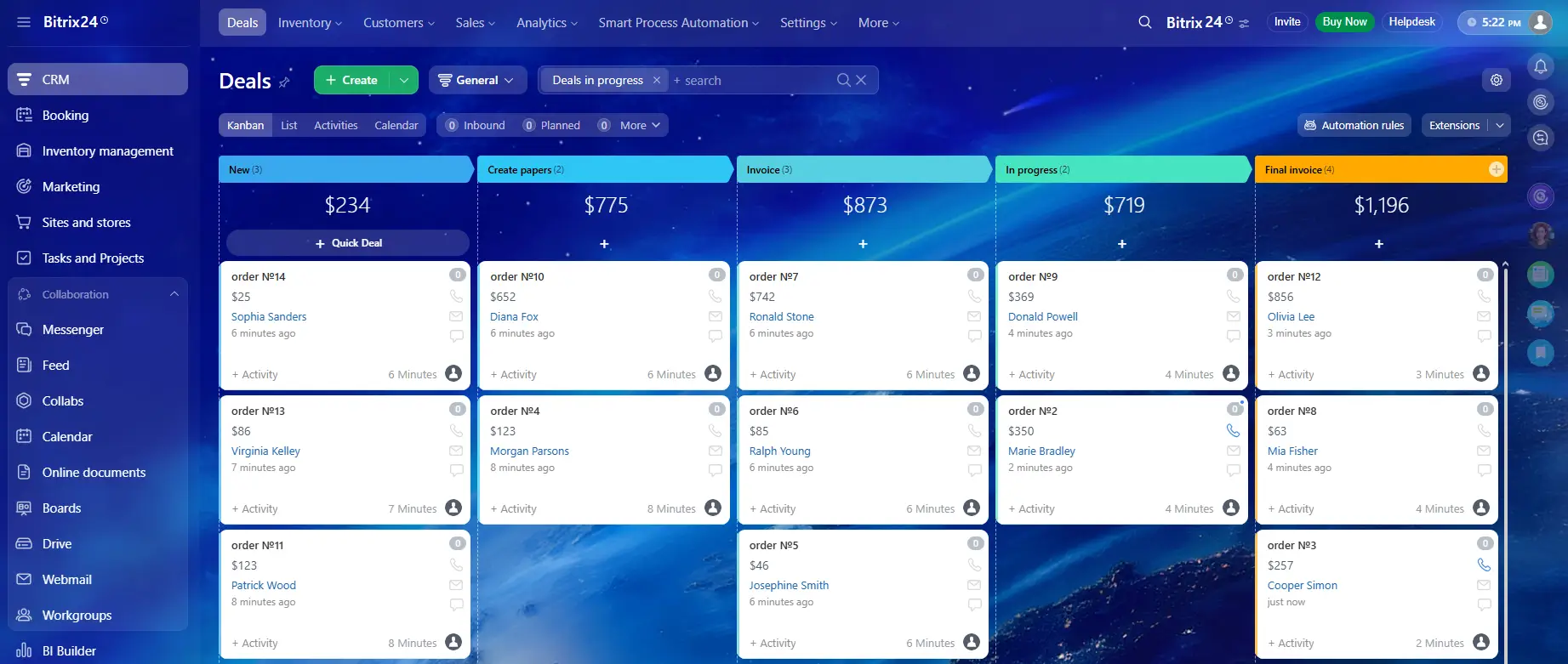
The CRM module supports the customer lifecycle from lead generation to post-sales support. Users visualize the process using customizable sales funnels. The bitrix24 CRM features include unlimited leads, contacts, companies, and deals. Automation rules reduce manual work by triggering emails, changing deal stages, or creating tasks based on client actions.
Product catalog and inventory management integration allow sales teams to generate quotes and invoices directly within the deal card. The CRM also supports recurring invoices and subscription management. The CRM Marketing tool enables email marketing, SMS campaigns, and voice broadcasting, leveraging customer database data for segmentation.
Project and Task Management
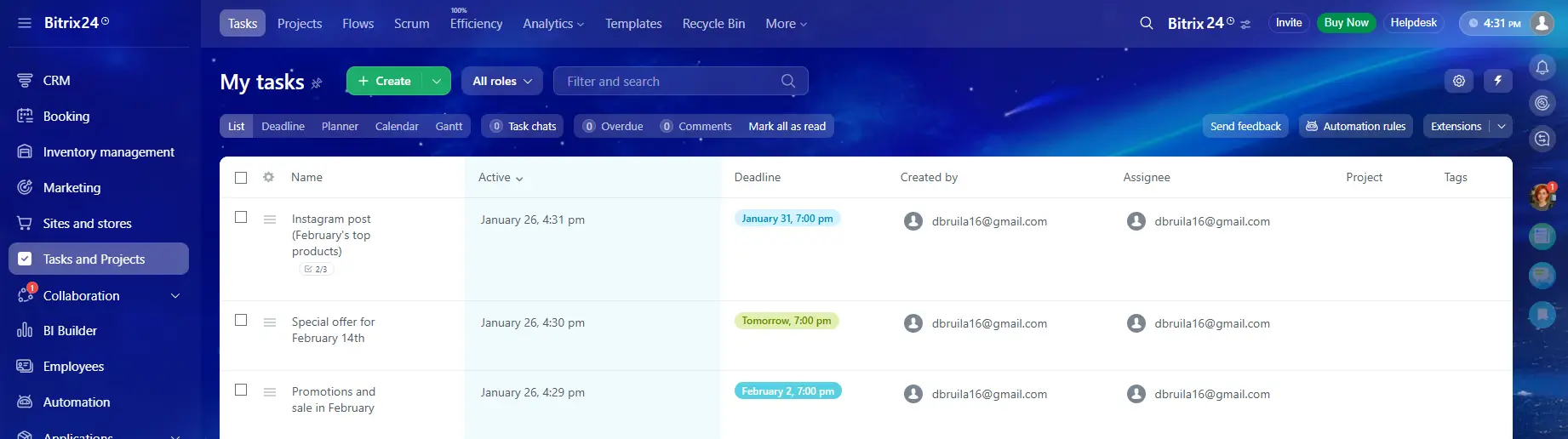
Project management capabilities extend beyond simple to-do lists. The platform supports Kanban boards for agile teams and Gantt charts for waterfall approaches. Tasks allow specific deadlines, checklists, and file attachments. Employee efficiency is tracked automatically based on task completion rates.
Time tracking is integrated into tasks for monitoring billable hours. For complex initiatives, workgroups or projects serve as isolated spaces with dedicated drives, calendars, and chat channels. Dependencies between tasks ensure that timeline adjustments in one stage automatically update subsequent steps.
AI-Powered Assistant (CoPilot)
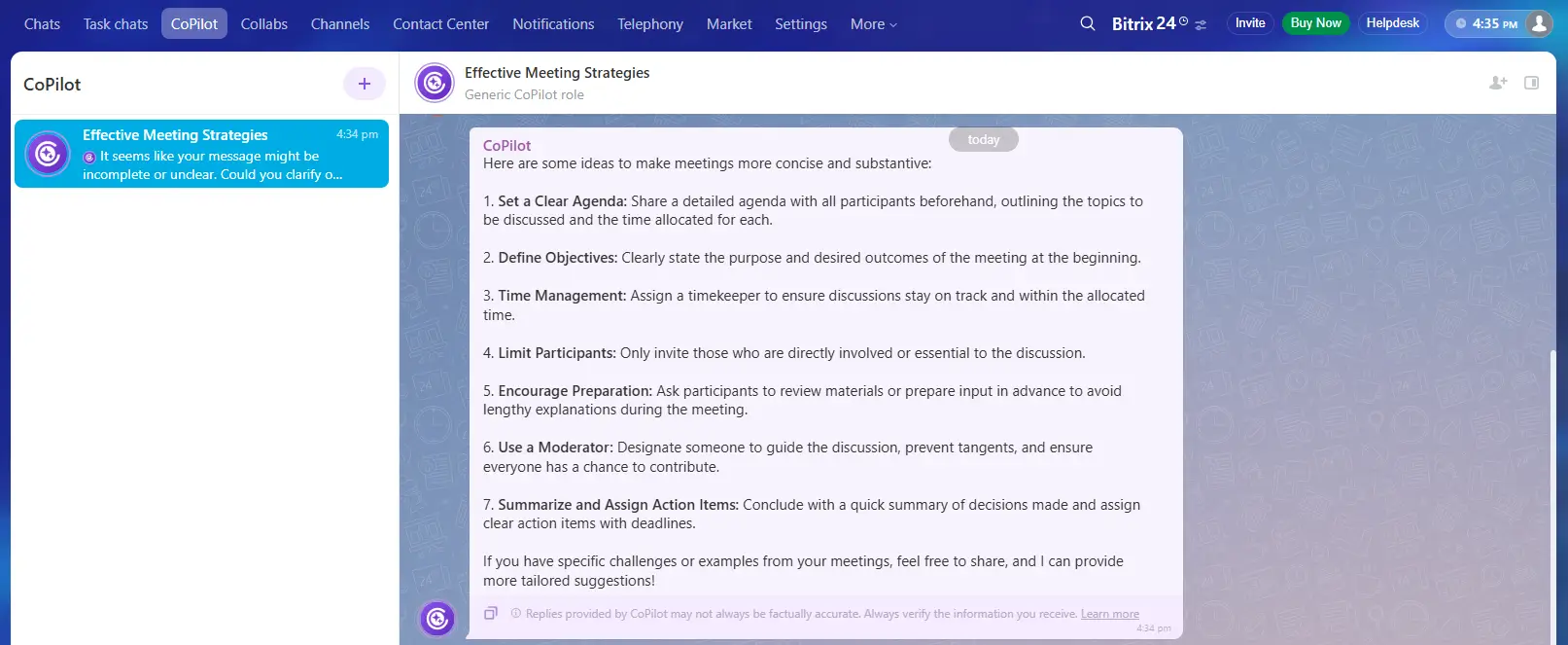
The platform has recently integrated artificial intelligence, branded as CoPilot, directly into the daily workflow. Unlike external AI tools that require copying and pasting data, CoPilot works within the chat, CRM, and task streams. It can transcribe recorded client calls and automatically generate a summary or a list of follow-up tasks. In the marketing module, it assists in drafting email copy or social media posts. For project managers, the AI can analyze a long discussion thread and extract the key action items, significantly reducing administrative time.
Communications and Collaboration
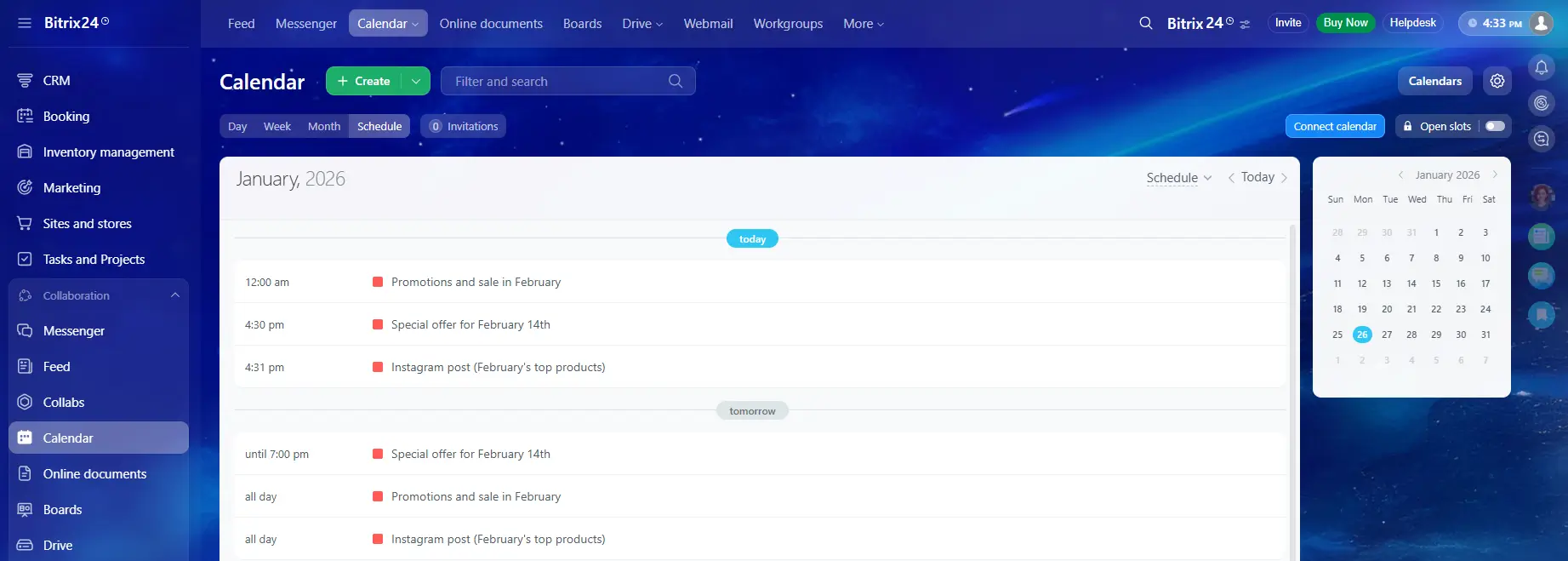
Internal communication tools eliminate the need for third-party messengers. The Activity Stream functions similarly to a social network feed, allowing announcements, polls, and updates to be shared with the entire company or specific departments. Instant messaging, voice calls, and HD video conferencing are built into the interface. The bitrix24 tools for collaboration also include screen sharing and call recording, facilitating remote work and virtual meetings.
The platform eliminates the need for external cloud storage solutions like Dropbox or Google Drive. The Bitrix24 Drive not only stores files with version history but also allows for real-time collaborative editing. Users can open a document, spreadsheet, or presentation directly within the browser (integrated with MS Office Online, Google Docs, or a local editor), co-edit it with colleagues during a video call, and save it back to the portal instantly. This keeps sensitive documents inside the secure corporate perimeter rather than scattered across employees' personal cloud accounts.
The Contact Center
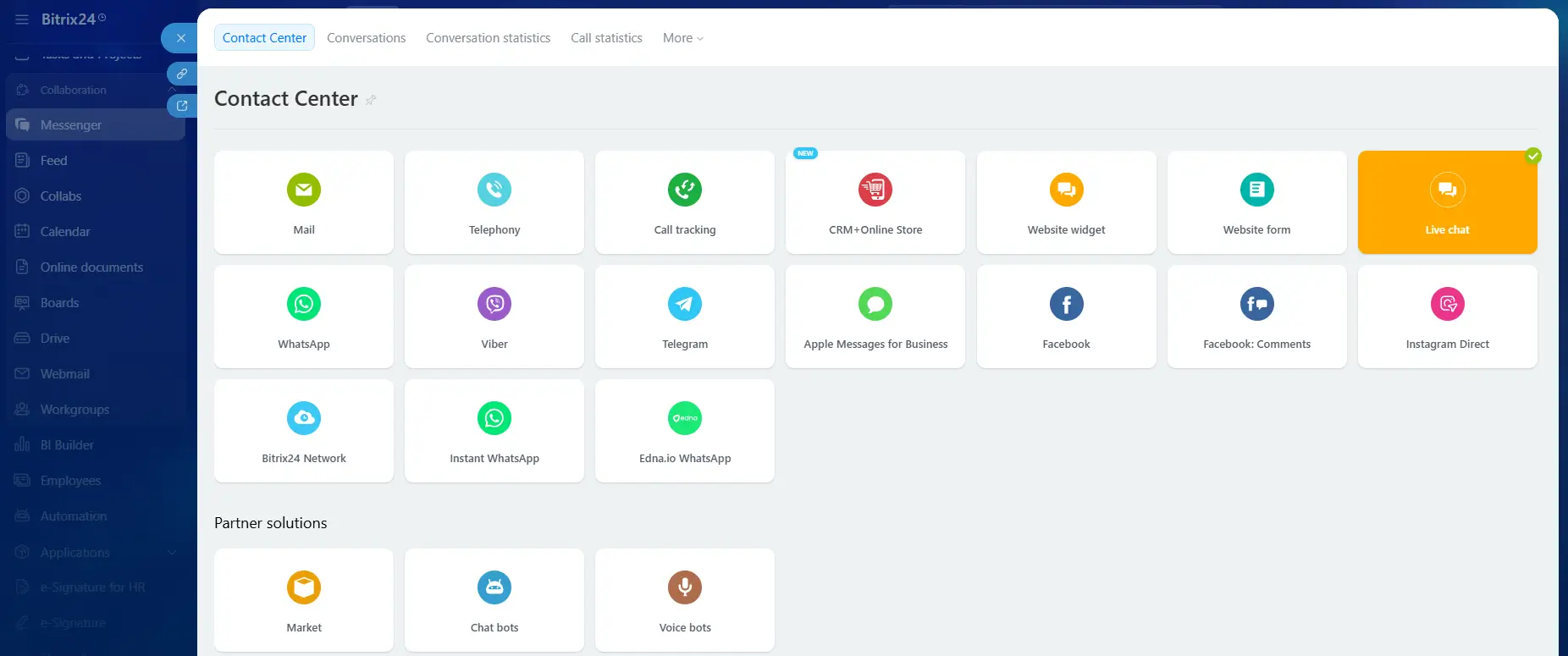
The Contact Center aggregates external communication channels into a single dashboard. Integrations with Facebook, Instagram, WhatsApp, Telegram, and other platforms ensure that messages from customers land directly in the open channel widget. Agents can respond from the platform without switching between different apps. This omnichannel approach ensures that communication history is preserved within the CRM card, providing context for future interactions.
Sites and Stores
The integrated website builder allows users to create landing pages and online stores using a block-based editor. These sites are fully integrated with the CRM, meaning that forms filled out on the landing page immediately populate the database. The online store functionality supports product catalogs, inventory tracking, and payment processing, providing a turnkey solution for e-commerce.
Advantages of the Bitrix24
The decision to adopt a platform of this magnitude usually stems from specific strategic advantages.
Economic Efficiency and Data Retention
The primary advantage lies in the "all-in-one" concept. Companies often pay separately for a CRM, a project management tool, a website builder, and a communication app. Bitrix24 replaces this stack with a single flat-fee subscription (for the cloud version), resulting in significant savings. The elimination of integration costs between different software vendors further enhances the return on investment.
The flat-fee subscription model on cloud plans offers a strategic benefit regarding employee turnover. Unlike per-user pricing models where inactive accounts must be deleted to save costs, this system allows administrators to dismiss employees without deleting their data. History, tasks, and CRM records remain accessible indefinitely without incurring additional license fees. This structure helps maintain institutional memory.
Unmatched Scalability
The platform grows with the business. A startup can begin with the free tier, which offers a surprising amount of functionality. As the team expands, they can upgrade to commercial tiers to unlock advanced automation and reporting. For large enterprises, the bitrix platform offers the on-premise edition, which can handle tens of thousands of users and provides total control over data hosting and server environment.
High Degree of Customization
The self-hosted version allows developers to modify the source code, customize the interface, and build complex integrations that are impossible in rigid SaaS environments. Even in the cloud version, the REST API allows for extensive connectivity with other services. The Marketplace features hundreds of ready-made apps developed by partners to extend functionality for specific industries.
Integrated Business Process Automation (RPA)
The Robotic Process Automation (RPA) tools allow users to automate standard workflows without writing code. Approval processes for leave requests, expense reports, or document reviews can be digitized and tracked. This reduces administrative overhead and ensures compliance with internal policies.
Comprehensive Mobile Experience
The mobile application mirrors the desktop functionality effectively. Employees can manage tasks, access the CRM, make video calls, and edit documents on the go. This mobility is crucial for field sales teams and remote workers who rely on smartphones and tablets for daily operations.
Strategic Cost Management and Historical Data Retention
The flat-fee subscription model on cloud plans offers a hidden financial benefit regarding employee turnover. Unlike per-user pricing models where inactive accounts must be deleted immediately to save costs, this system allows administrators to dismiss employees within the portal without deleting their data. The history, tasks, and CRM records remain accessible indefinitely without incurring additional license fees. This structure is critical for maintaining institutional memory in high-turnover industries, as the new employee can immediately inherit the full context of their predecessor's work.
Secure External Collaboration via Extranet
A standout feature often overlooked during initial testing is the Extranet capability. Companies can create secure, isolated workgroups for external stakeholders such as freelancers, clients, or suppliers. These "Extranet users" are free on most plans and have access only to their specific workgroup, ensuring that internal company data remains strictly confidential. This eliminates the need for disjointed email chains and allows clients to participate directly in project discussions, file approvals, and task tracking within a controlled environment.
Advanced Telephony and SIP Integration
While many CRMs offer basic calling features, this ecosystem allows for professional-grade telephony integration. The built-in SIP Connector permits businesses to link their existing office PBX systems or preferred VoIP providers directly to the CRM. Organizations do not need to abandon their current phone numbers or favorable carrier contracts. Furthermore, intelligent routing rules can be configured to recognize incoming numbers and direct calls from VIP clients immediately to their dedicated account managers, bypassing the standard IVR menu.
Disadvantages and Challenges
Despite its robust feature set, potential adopters must consider the drawbacks associated with such a complex system. An honest analysis of the pros and cons of bitrix24 reveals specific pain points.
Steep Learning Curve
The sheer volume of features can be overwhelming for new users. The interface is densely packed with buttons, menus, and settings. Teams often require structured training and onboarding sessions to navigate the system effectively. Without proper implementation, users may ignore 90% of the features or use them incorrectly, leading to data inconsistency.
User Interface Complexity
While the UI has improved over time, it remains utilitarian and sometimes cluttered. Navigating between different modules can feel disjointed. Users accustomed to minimalist, single-purpose apps may find the experience cumbersome.
Customer Support Limitations
Direct support from the vendor is primarily available via chat and is often reserved for paying administrators. Free tier users rely heavily on community forums and documentation. For complex technical issues, specifically with the on-premise version, businesses often need to hire certified partners, which adds to the total cost of ownership.
Complexity of Updates
The cloud version updates automatically, which is generally positive, but interface changes can sometimes disrupt established workflows without warning. For the on-premise bitrix24 software, applying updates requires technical expertise to ensure compatibility with custom modifications.
Comparative Analysis with Market Alternatives
To understand the positioning of the platform, it is helpful to compare it with other market leaders. While many tools compete with specific modules (like Asana for tasks or Pipedrive for CRM), few offer the same breadth of integration.
The following table contrasts the bitrix24 crm capabilities and general ecosystem against major competitors:
Criteria
Bitrix24
Salesforce
Monday.com
HubSpot
Primary Focus
Unified Workspace (CRM + PM + HR)
Enterprise CRM
Project Management
& Work OS
Inbound Marketing & Sales
Pricing Model
Flat fee per account
(unlimited users
on some plans)
Per user / per month
Per user / per month
Per user / per month
(scales steeply)
Free Plan
Unlimited users, extensive features
None (Free trial only)
Limited features, max 2 users
Free CRM available, limits on automation
Deployment
Cloud & On-Premise
Cloud Only
Cloud Only
Cloud Only
Learning Curve
High (due to feature density)
High (requires specialist)
Low (intuitive UI)
Medium
Website Builder
Included
Requires integration
Basic docs
CMS Hub (paid add-on)
Communication
Built-in chat, video, telephony
Chatter (internal only)
Comments & Updates
Limited internal comms
Customization
Full code access
(on-Premise)
Apex Code
(proprietary)
Low-code apps
Custom objects & API
This comparison highlights that while Salesforce offers deeper enterprise CRM analytics and Monday.com provides a superior UI for project tracking, Bitrix24 wins on value density. It provides acceptable to good functionality across all categories for a fraction of the combined cost of the competitors.
Target Audience
The versatility of the platform suits specific organizational profiles.
Small and Medium Enterprises (SMEs) form the core user base. These companies typically lack the budget for enterprise-grade CRMs or the IT resources to manage multiple subscriptions. Managing sales, marketing, and projects in one interface provides significant efficiency.
Remote and Distributed Teams benefit from the communication tools. Combining task management with video conferencing creates a virtual office environment, maintaining transparency without micromanagement.
Enterprises with Data Sovereignty Requirements utilize the on-premise edition. Organizations in finance or healthcare, restricted by regulations like GDPR, can install the software on their own servers behind firewalls to ensure compliance.
Concluding Thoughts
This bitrix24 guide demonstrates that the platform is a powerhouse of functionality. It is not merely a CRM or a task manager; it is a holistic operational environment. The trade-off for this immense power is a requirement for patience during the implementation phase. It is not a plug-and-play solution for teams that want simplicity above all else. However, for businesses seeking to consolidate their tech stack, reduce software expenses, and automate complex cross-departmental workflows, the solution offers unrivaled value.
The platform rewards investment in training and configuration. Once the workflows are established and the team overcomes the initial learning curve, the efficiency gains from having a unified data ecosystem become substantial. Whether for a team of five or a corporation of five thousand, the system provides the necessary infrastructure to manage the full spectrum of business activities.
Frequently Asked Questions
How long does a typical implementation take?
While you can sign up instantly, a proper business implementation takes time. For a small team using standard features, setup and training usually take 2–4 weeks. For enterprise deployments involving data migration and ERP integration, the timeline is typically 2–3 months.
What is Bitrix24 mainly used for?
Bitrix24 is an all-in-one business workspace that combines a CRM, project management tools, a website builder, and a contact center. It is designed to replace multiple SaaS subscriptions by providing a single platform for internal communication (intranet) and external sales management.
What are the biggest pros of using Bitrix24?
The primary advantages of Bitrix24 are its comprehensive feature set and cost-effectiveness. It offers over 35 tools in one platform, meaning you don't need separate integrations for tasks, chats, and CRM. Additionally, it offers both Cloud and On-Premise (Self-Hosted) versions, which allows for deep customization and code access.
Is it difficult to migrate data to Bitrix24 from another CRM?
Bitrix24 has built-in import tools for CSV files to bring in Contacts, Companies, and Deals. However, migrating interaction history, emails, and complex workflows from platforms like Zoho or Pipedrive usually requires API scripting. We recommend using a partner for complex data migrations to ensure no data loss.
Is Bitrix24 suitable for small businesses?
Yes. Bitrix24 offers a free plan that is excellent for small teams and startups. As the business grows, you can upgrade to commercial plans to unlock advanced marketing and automation features.
Related articles
17.02.2026
Bitrix24 Task Management
Bitrix24 is more than a simple task list; it's an operational ecosystem that integrates task management with CRM, calendars, and file storage. It offers robust features for defining roles, tracking progress through various visualizations like Kanban and Gantt charts, and automating workflows.
Bitrix24: More than just a CRM—it’s your intelligent assistant! Integrate your customer database and email marketing into a single platform to deliver personalized emails triggered by real-time buyer behavior. Leverage the Bitrix24 CoPilot AI assistant to automate routine tasks, from newsletter creation to call transcription, and drive your productivity to new heights.