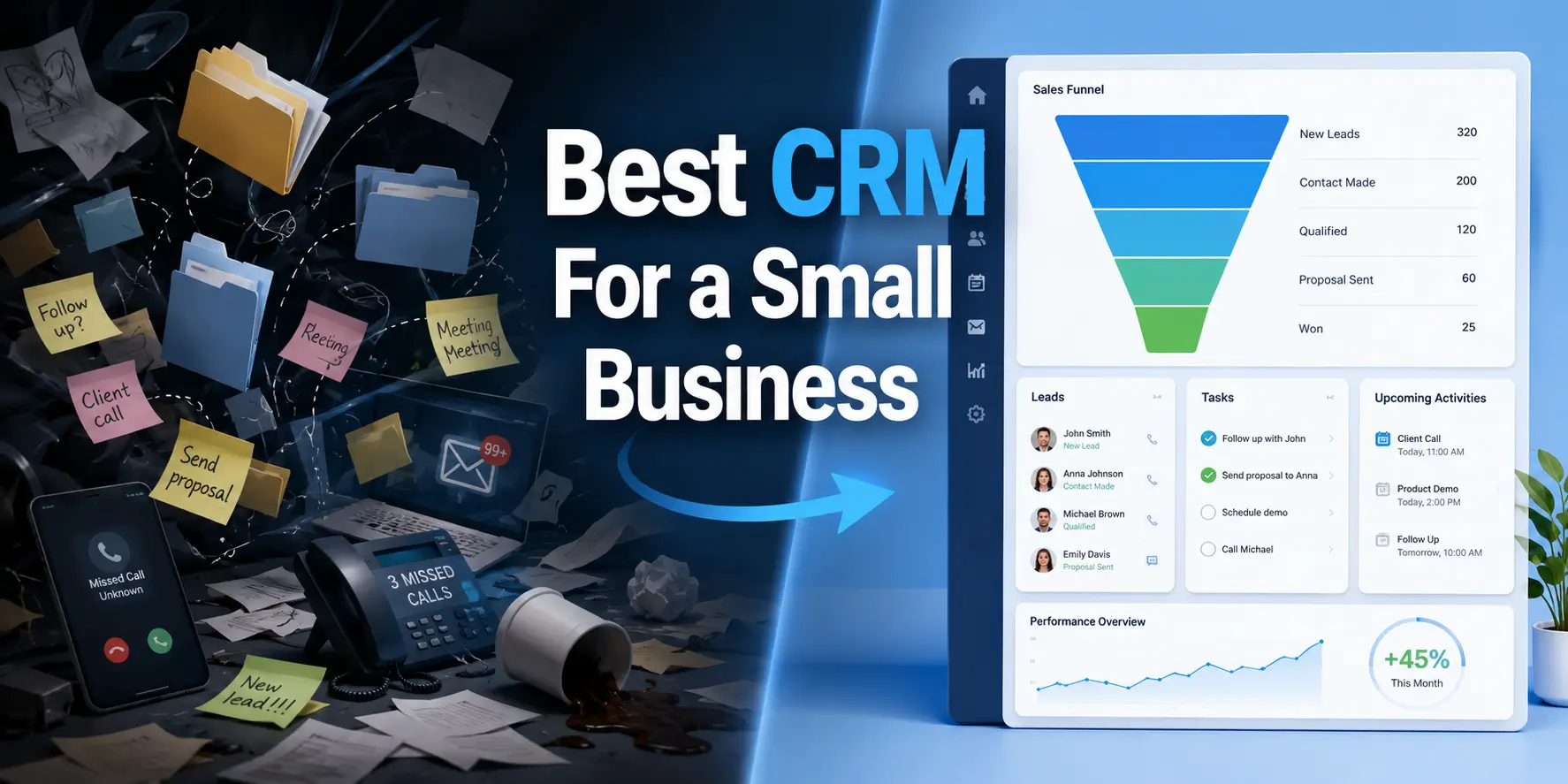
Most small business owners come to this decision the same way: leads are falling through the cracks, someone missed a follow-up, a deal died quietly because nobody remembered to check in.
A CRM fixes that. But "CRM" covers an enormous range of tools, from $10/month contact managers to enterprise platforms that take six months to implement. Picking the wrong one wastes money and time, and switching later is painful. So let's work through this properly.
What a CRM Actually Does for a Small Business
At its simplest, a CRM is a shared record of every customer relationship your business has. Who you talked to, when, what was said, where they are in the sales process. That's it.
The useful ones go further. They automate follow-up emails, flag deals that have gone quiet, show you which sales rep is closing and which isn't, and connect to the tools you already use (email, calendar, your invoicing software). The dangerous ones promise all of that but bury the useful parts behind features you'll never touch.
For a small business, the failure mode isn't usually "the CRM lacks features." It's "the CRM is too complicated to use consistently, so people stop using it." A tool your team actually opens every day beats a sophisticated platform that lives in a tab nobody checks.
The Honest Checklist Before You Start Comparing Tools
Before looking at any software, answer these:
How many people need access?
What's your actual budget, including per-user fees?
What do you already use? (Gmail vs. Outlook matters. QuickBooks integration might matter.)
What's the main problem you're solving? (Losing leads? Poor follow-up? No visibility into the pipeline?)
How technical is your team?
That last one is underrated. A CRM with powerful automation is useless if the person who'd set it up is also the person running sales calls and doing invoicing. Complexity has a cost.
Free Options Worth Knowing About
If budget is tight or you're not sure you'll actually use a CRM consistently, starting with a free tier makes sense. You can validate the habit before committing money.
The best free CRM for small business isn't the one with the most features in its free tier - it's the one whose free tier is genuinely useful rather than a crippled demo. A few worth looking at:
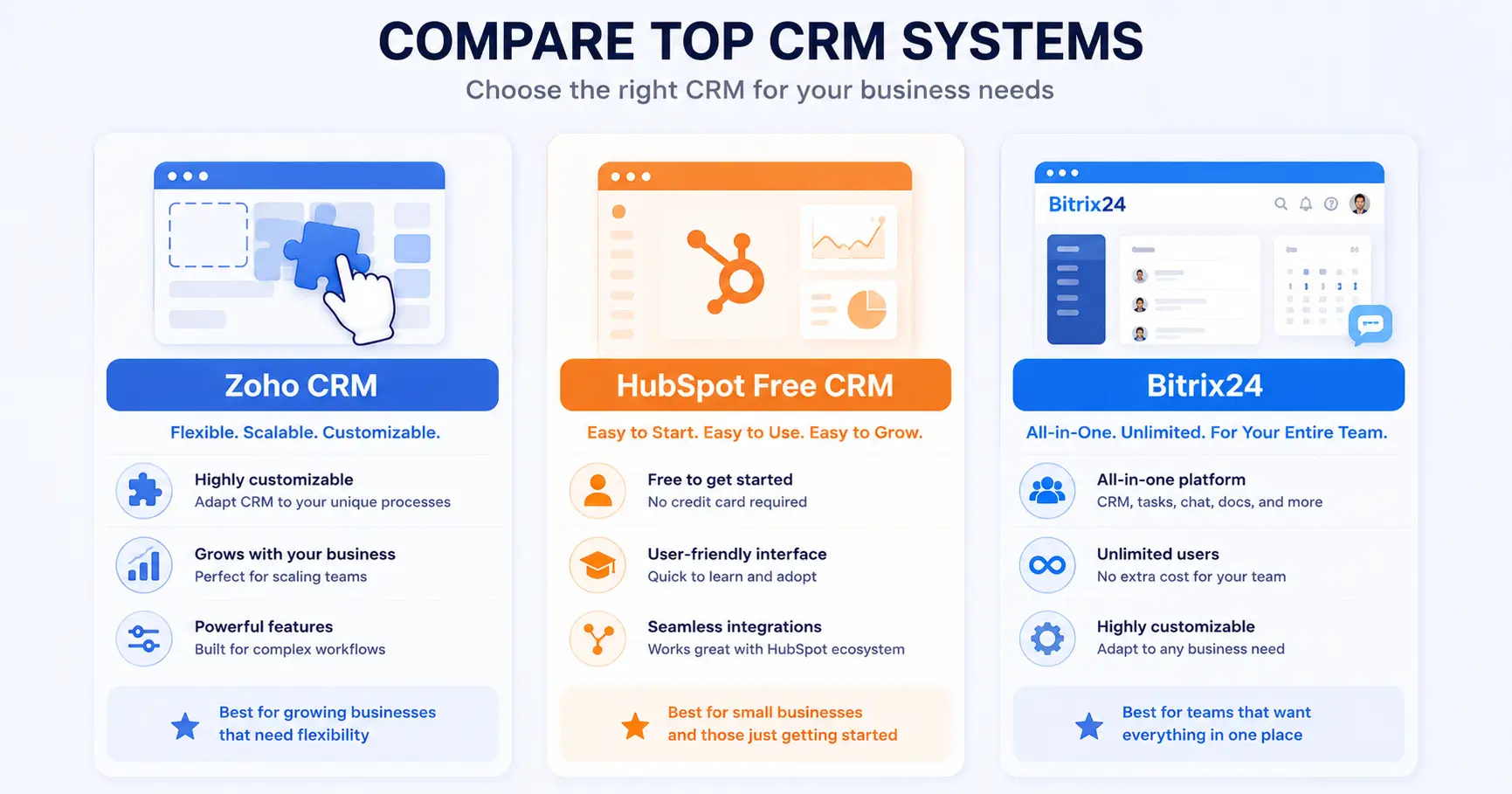
HubSpot Free CRM is the most commonly recommended starting point. Unlimited users, contact management, pipeline view, basic email tracking. The free tier is real and usable. The catch: the paid features are expensive, and HubSpot nudges you toward them constantly.
Zoho CRM Free works for up to three users. Solid feature set for the price (which is zero). Gets complicated fast as you add users.
Bitrix24 offers a free plan that's unusually generous - unlimited users, a built-in communication suite (chat, video calls, task management), and a functional CRM that includes deals, contacts, pipeline views, and basic automation. It's one of the few platforms where the free version is actually viable for a small team rather than just a trial with a timer on it. The interface takes some getting used to, but the depth is there.
Where Free CRM Software Falls Short
Free tiers keep costs down, but they have real limits you should know about:
Storage caps. Attachments and records pile up fast. Most free plans cap you at 5-15GB.
User limits. Many cap you at 1-3 users. If you grow, you're paying.
No automation. Workflow automation (automatic follow-up emails, deal stage triggers) is almost always a paid feature.
Limited integrations. Your accounting software, your email marketing tool, your phone system - connections to these usually require paid plans.
Support. Free tier support is typically community forums or documentation. If something breaks on a Tuesday afternoon, you're reading help articles.
None of these are dealbreakers if you know about them going in. They become problems when people assume "free" means "full."
What Makes a CRM Actually Simple to Use
The phrase simple CRM gets thrown around in marketing copy, but what does simple actually mean in practice?
It means:
Your team can add a contact in under 30 seconds.
The pipeline view makes it obvious what needs attention today.
Moving a deal through stages doesn't require reading a manual.
You can run a basic report without calling someone.
Simplicity isn't the same as lacking features. It's features organized so they don't get in each other's way. Pipedrive is often cited here - it's built around the pipeline view, which is intuitive for sales-focused teams. Freshsales is another one that prioritizes speed of use. Bitrix24's kanban-style deal boards work similarly once you're past the initial setup.
The Best CRM For Startups is Not Always the Cheapest One
Startups have a specific problem that differs from established small businesses: they're still figuring out their sales process. That means the CRM needs to be flexible, not optimized for a workflow that doesn't exist yet.
Things that matter more for startups:
Can you change the pipeline stages easily? Your sales process will evolve. You don't want to call support every time you add a stage.
Does it scale without massive cost jumps? Some CRMs are cheap at 2 users and brutal at 15. Run the math before committing.
Does it have good reporting? Startups need to understand what's working. A CRM with weak analytics means you're flying blind.
Does it connect to the tools you use to grow? Email marketing, lead capture forms, ad platform integrations.
Salesforce is overkill for most startups and expensive. HubSpot grows well but gets pricey. Bitrix24 is interesting for startups specifically because the platform includes project management, internal communication, and HR tools alongside the CRM - which means a founding team can run a lot of operations from one place rather than paying for five separate tools.
How the Major Options Actually Compare
Rather than pretending there's one right answer, here's a realistic breakdown:
Expensive at scale, can feel like a funnel pushing you toward paid features
Free to $90+/user/month
Pipedrive
Pure sales teams who think in pipelines
Excellent deal management, fast to learn, good mobile app
Weak on marketing features, not great for service businesses
$14-$99/user/month
Zoho CRM
Price-conscious teams that need flexibility
Extensive features, competitive pricing, lots of integrations
Interface is dated, setup can be complex
Free (3 users) to $52/user/month
Bitrix24
Small businesses that want CRM plus project management, communication, and HR in one platfo
Generous free plan (unlimited users), all-in-one scope, strong automation on paid plans, on-premise option available
Initial setup is not trivial, the interface is dense, some features require learning time
Free to $199/month (flat rate, not per user)
Freshsales
Teams that want AI-assisted lead scoring without enterprise pricing
Clean UI, built-in phone and email, good automation
Reporting could be stronger, some features gated behind higher tiers
Free to $69/user/month
Questions to Ask Before Signing Up for Any CRM
<
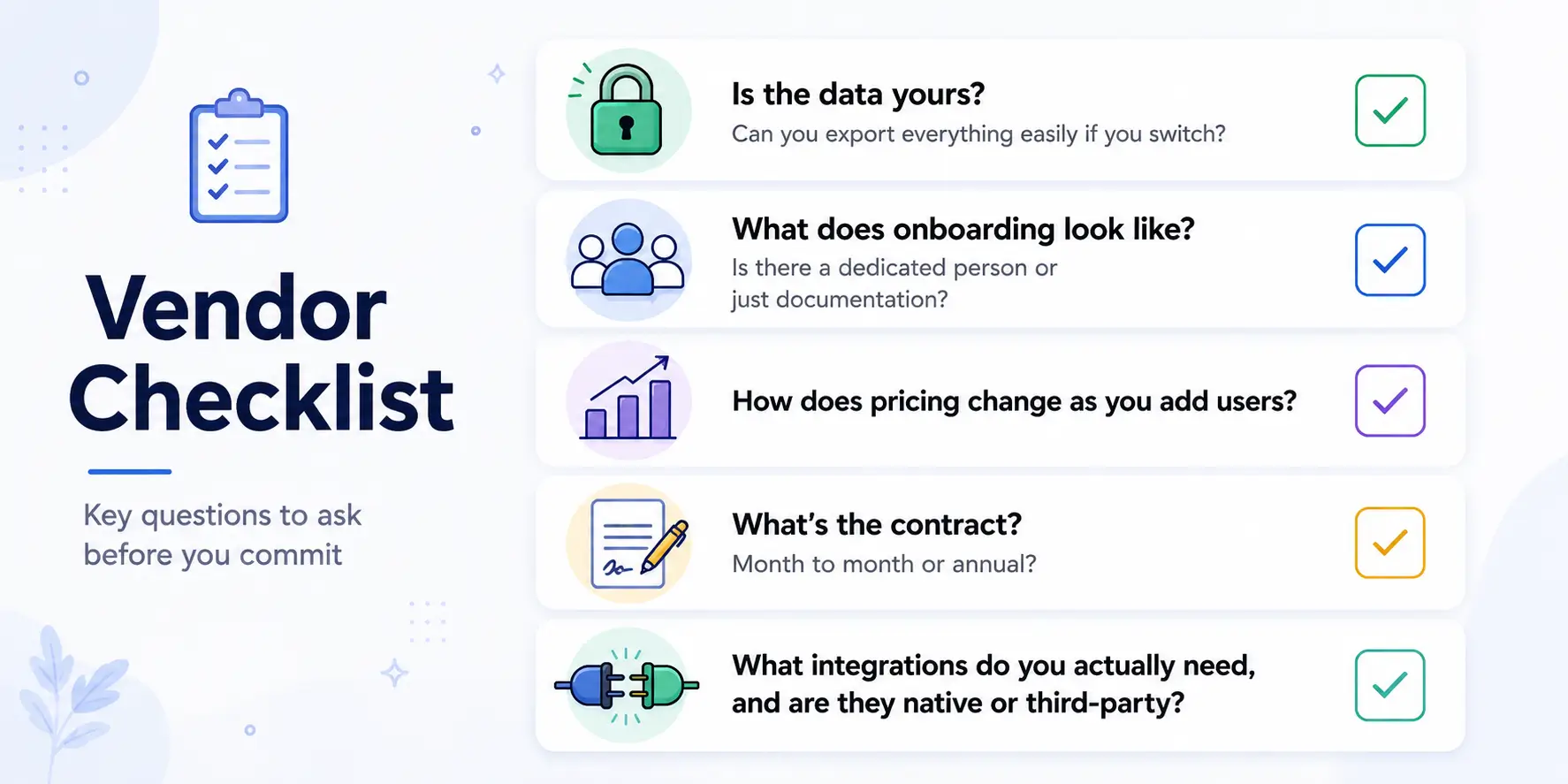
Before committing to a paid plan or even a free account you'll build data into:
Is the data yours? Can you export everything easily if you switch?
What does onboarding look like? Is there a dedicated person or just documentation?
How does pricing change as you add users?
What's the contract? Month to month or annual?
What integrations do you actually need, and are they native or third-party?
The integration question matters more than people expect. If your CRM connects to your email via Zapier and Zapier goes down, your workflow breaks. Native integrations are sturdier.
What the Best CRM For Small Business Actually Looks Like in Practice
It's the one your team logs into without being told to. That's the real test.
The "best" CRM is contextual:
A three-person real estate team probably wants something visual and mobile-friendly, like Pipedrive or Freshsales
A ten-person SaaS startup probably wants HubSpot or Bitrix24, where the CRM connects to marketing and support functions
A solo consultant who just needs to stop forgetting follow-ups might be fine with a simple free tier from any of the above
A business that already runs operations through a mix of tools and wants to consolidate might find Bitrix24's all-in-one approach compelling, especially given the flat-rate pricing
The mistake most small businesses make is picking based on feature lists rather than use. You don't need 200 features. You need the 12 you'll actually use, working reliably, in an interface your team doesn't resent.
Before You Decide
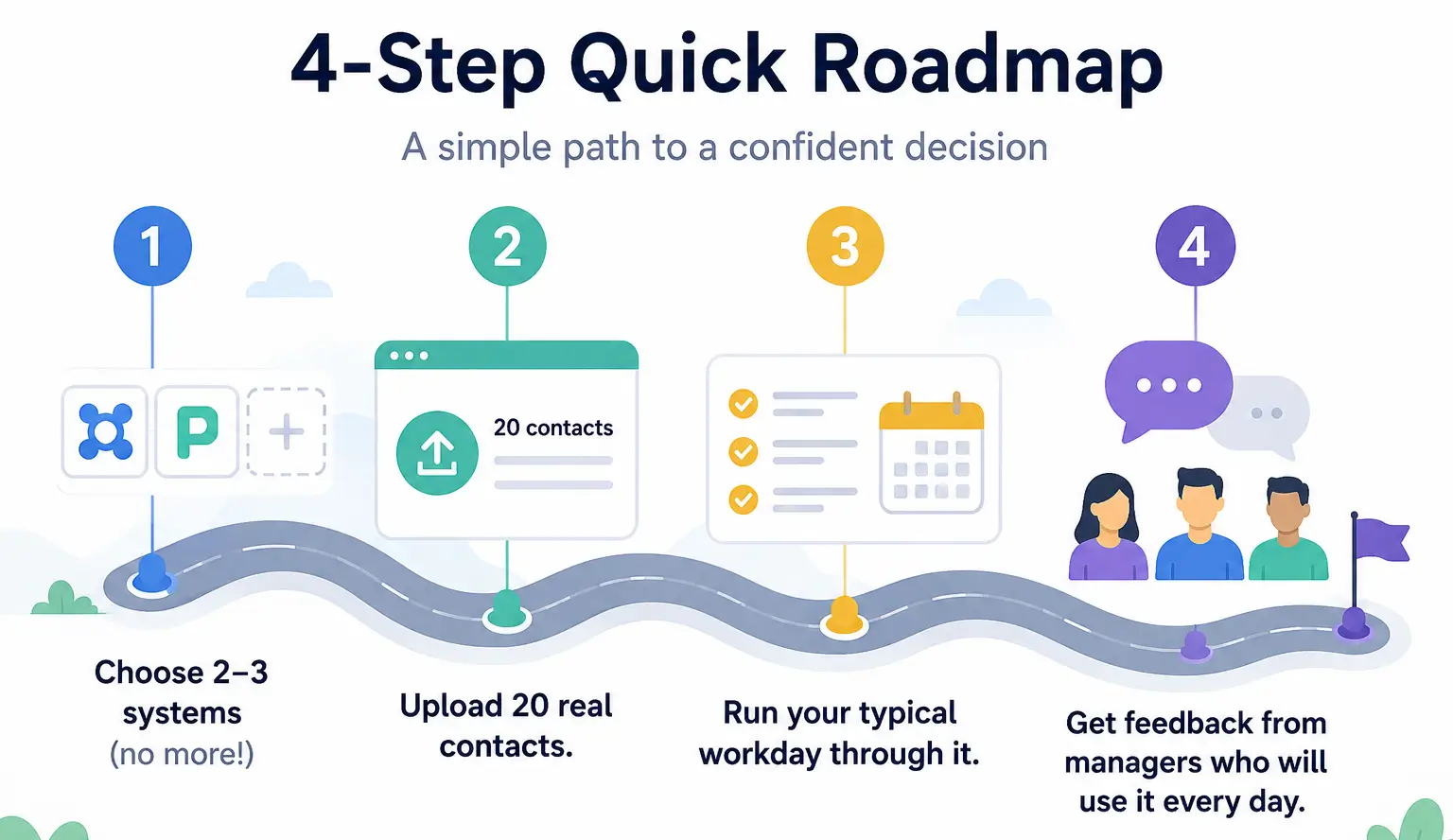
A few practical steps that save time:
Shortlist two or three options based on your answers to the checklist above
Sign up for the free tier or trial of each - don't just watch demo videos
Import 20-30 real contacts and run your actual workflow through each one
Ask whoever will use it daily (not just the person choosing it) which felt better
Check pricing at your expected user count in two years, not just today
Implementation matters as much as selection. A well-implemented simple CRM outperforms a poorly implemented enterprise one every time. If you don't have someone internally who can set it up properly, it's worth paying for implementation help - most of the vendors above have certified partners who do exactly this. The goal isn't to have a CRM. It's to stop losing deals you should have won.
Frequently Asked Questions
What happens to our data if the company gets acquired or shuts down?
Сompanies do get acquired, pivot, or shut down. Before committing to any platform, find out: how do you export your data, in what format, and how long do you have access if you cancel? CSV export is the minimum. Ideally you want an open format that other tools can actually import without manual cleanup.
How long does it actually take to set up a CRM properly?
"Properly" is doing a lot of work in that question. Getting the software running and importing your contacts? A few hours. Getting your pipeline stages right, your email connected, your team trained, and your first workflow automation working? A few weeks of part-time effort. Getting to the point where the data is clean enough to trust the reports? Three to six months of consistent use. Anyone who tells you a CRM is "up and running in 20 minutes" means the login works, not that it's actually useful yet.
Can I just use Gmail and a spreadsheet forever?
Technically yes. Plenty of businesses run on exactly that. The breaking point tends to be one of three things: a second person joins sales and now two people are editing the same spreadsheet, a deal falls through because a follow-up email sat in drafts, or someone leaves the company and their Gmail goes with them. If none of those have happened yet, enjoy the simplicity. When one of them does, you'll know it's time.
Do CRMs actually help close more deals, or is that just marketing?
The evidence is mixed and heavily self-reported by CRM vendors, so take their claims with skepticism. What CRMs reliably do: reduce the number of leads that disappear without follow-up, give you visibility into where deals are stalling, and make handoffs between people less chaotic. Whether that translates to more closed deals depends entirely on what was causing you to lose deals in the first place. If you're losing deals because your product isn't right or your pricing is off, a CRM won't fix that.
We're a tiny team. Is a CRM overkill?
Two people can absolutely benefit from a CRM - not because the pipeline is complex, but because memory is unreliable. The question isn't headcount, it's whether you've ever had the conversation "wait, did anyone follow up with them?" If yes, a CRM is not overkill. A free tier costs nothing to try.
Is there a real difference between a $15/month CRM and a $80/month one?
Sometimes yes, sometimes no - and the gap isn't always where you'd expect. Cheaper tiers often lack automation (the thing that actually saves time), decent reporting (the thing that tells you what's working), and meaningful integrations (the thing that connects your tools). But expensive tiers often bundle features you'll never use. The honest move is to figure out the three or four specific things you need the CRM to do, then find the cheapest plan that actually does those things. Per-user pricing also means the math changes fast as you grow - a $15/user tool becomes $150/month at 10 users, while a flat-rate platform like Bitrix24 stays predictable regardless of headcount.
Our sales process is weird and doesn't fit standard pipeline stages. Now what?
Most CRMs let you rename and reorder pipeline stages, which covers most "weird" processes. What they don't handle well: non-linear sales where deals move backward, relationship-heavy sales with no clear stages, or project-based businesses where the "sale" and the "delivery" blur together. If your process genuinely doesn't fit a left-to-right pipeline, look at platforms that let you build custom workflows rather than forcing you into their model. Bitrix24 handles this reasonably well - you can set up custom deal types and automate stages that don't follow a straight line.
Related articles
23.05.2026
Bitrix24 Free Version: Full Review
In this article, we will examine the free version of Bitrix24 and its tools: CRM, tasks, internal communications, and web tools. We will analyze the platform's free capabilities and the limitations you might encounter.
Bitrix24 is a unified digital office that integrates CRM, project management, communications, and automation—unlike Trello, which focuses on the simplicity of Kanban boards. Bitrix24 provides a native solution for complex business processes, including task delegation with roles, CRM integration, and workflow automation, though it does involve a learning curve.